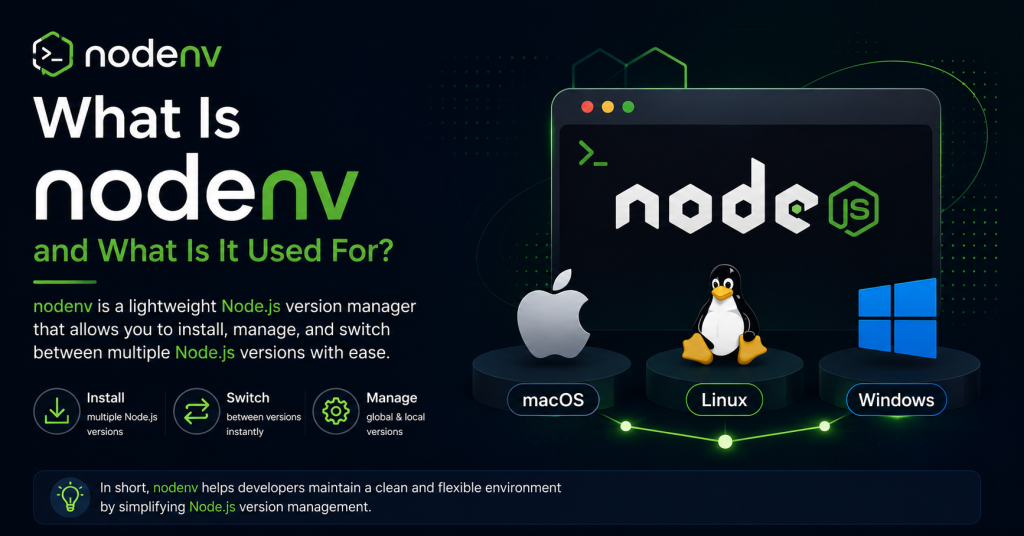
Node.js developers often need to work with multiple projects, and each project may require a different version of Node.js. Installing and switching between versions manually can be time-consuming and may lead to compatibility issues. This is where nodenv becomes an essential tool. nodenv is a lightweight Node.js version manager that allows you to install, manage, and switch between multiple Node.js versions effortlessly. It helps keep development environments organized and ensures each project uses the correct Node.js version without affecting others.
Whether you’re a beginner learning JavaScript or an experienced developer maintaining several applications, nodenv simplifies version management and improves productivity. In this guide, you’ll learn what nodenv is, what it is used for, its key features, benefits, and why many developers rely on it.
What Is nodenv?
nodenv is an open-source command-line tool designed to manage multiple versions of Node.js. Instead of replacing your existing Node.js installation every time you need a different version, nodenv lets you install several versions simultaneously and switch between them whenever necessary.
The tool works by selecting the appropriate Node.js version based on your current project or your global configuration. This means every project can use the exact Node.js version it was built for, helping avoid compatibility issues.
Unlike some version managers that modify your shell heavily, nodenv follows a minimalistic approach. It stays out of your way and only changes which Node.js executable is used when you run commands like node, npm, or npx.
What Is nodenv Used For?
Developers use nodenv to simplify Node.js version management across different environments and projects.
Here are the most common uses of nodenv.
Managing Multiple Node.js Versions
The primary purpose of nodenv is allowing multiple Node.js versions to exist on the same computer.
For example, you can have:
- Node.js 18 for an older production project
- Node.js 20 for your latest application
- Node.js 22 for testing new features
Instead of manually switching installations, nodenv handles everything with a simple command.
Working on Multiple Projects
Different projects often require different Node.js versions.
Without nodenv, switching between projects can lead to version conflicts and unexpected errors. nodenv automatically selects the correct version for each project when configured with a local version file, making development much smoother.
Testing Applications
If you’re developing libraries, frameworks, or Node.js applications, testing your code across multiple Node.js versions is essential.
nodenv allows developers to quickly switch versions and verify compatibility without reinstalling Node.js every time.
Supporting Team Collaboration
Development teams often standardize on a specific Node.js version.
By using nodenv, every team member can install the exact version required by the project, reducing “it works on my machine” problems.
Learning Different Node.js Releases
Students and developers who want to experiment with newer or older Node.js releases can install multiple versions safely without affecting their primary development environment.
How Does nodenv Work?
nodenv uses a system called shims.
A shim is a small executable placed in your system’s PATH. When you run commands such as:
node
npm
npx
nodenv intercepts the command and determines which installed Node.js version should be used.
It checks for the version in the following order:
- Local project version
- Global default version
- System-installed Node.js version
This process happens automatically, so developers don’t have to think about switching versions manually every time they enter a project.
Key Features of nodenv
Lightweight Design
nodenv is intentionally simple. It focuses only on Node.js version management without adding unnecessary features or background processes.
Project-Specific Versions
Each project can have its own Node.js version, making it easy to maintain applications built with different Node.js releases.
Global Version Configuration
You can set a default Node.js version that will be used whenever a project-specific version isn’t defined.
Easy Version Switching
Changing between installed versions only takes a single command, making development workflows faster and more convenient.
Plugin Support
nodenv supports plugins that extend its functionality. One popular plugin is node-build, which allows users to install new Node.js versions directly through nodenv.
Cross-Platform Support
nodenv works well on macOS and Linux. Windows users typically run it through Windows Subsystem for Linux (WSL) or use alternative Node.js version managers designed specifically for Windows.
Why Developers Use nodenv
Many developers choose nodenv because it provides a clean and predictable way to manage Node.js environments.
Some of its biggest advantages include:
- Prevents version conflicts
- Keeps development environments organized
- Makes project setup faster
- Improves reproducibility across teams
- Simplifies testing on multiple Node.js releases
- Doesn’t interfere with system packages
These benefits are especially valuable for freelance developers, software teams, DevOps engineers, and open-source contributors.
nodenv vs Manual Node.js Installation
Installing Node.js manually works fine if you only ever need one version.
However, modern development often involves multiple projects with different requirements. In these situations, manual installation becomes difficult to manage.
| Feature | nodenv | Manual Installation |
|---|---|---|
| Multiple Node.js versions | Yes | No |
| Easy version switching | Yes | No |
| Project-specific versions | Yes | No |
| Reinstall required | No | Yes |
| Better for developers | Yes | Limited |
For active development, nodenv offers much greater flexibility.
Who Should Use nodenv?
nodenv is suitable for a wide range of users, including:
- JavaScript developers
- Node.js developers
- Full-stack web developers
- Backend engineers
- Open-source contributors
- Students learning Node.js
- DevOps professionals
- QA engineers testing applications
Anyone who regularly works with Node.js projects can benefit from using nodenv.
Common Use Cases
Here are a few real-world scenarios where nodenv proves useful.
Maintaining legacy applications: Older projects often depend on earlier Node.js versions. nodenv lets you continue supporting them without affecting newer projects.
Developing modern applications: You can use the latest stable Node.js release while still keeping older versions available.
Testing compatibility: Software libraries can be tested against multiple Node.js releases before publishing.
Working across client projects: Freelancers frequently encounter clients using different Node.js versions. nodenv makes switching effortless.
Is nodenv Free?
Yes. nodenv is completely free and open source.
Developers can download, modify, and use it without paying licensing fees. Its open-source nature also means it benefits from contributions and improvements made by the developer community.
Advantages of Using nodenv
Some notable advantages include:
- Supports multiple Node.js versions
- Fast version switching
- Minimal system overhead
- Simple command-line interface
- Easy project management
- Reliable version isolation
- Compatible with Git-based development workflows
- Open-source and community maintained
These features make nodenv a trusted tool for many professional developers.
Limitations of nodenv
Although nodenv is powerful, it has a few limitations.
- Installation requires some command-line knowledge.
- Windows support is less straightforward than macOS or Linux.
- Installing Node.js versions usually requires the node-build plugin.
- Beginners may need a little time to understand local versus global versions.
Fortunately, once configured, nodenv is very easy to use.
Conclusion
nodenv is a simple yet powerful tool that makes managing multiple Node.js versions easy and efficient. It allows developers to switch between different Node.js releases without conflicts, ensuring every project runs with the version it was built for. This helps improve compatibility, streamlines development workflows, and reduces setup issues when collaborating with teams. Whether you’re maintaining legacy applications, testing software across different Node.js versions, or building new projects, nodenv provides a reliable and organized solution. Its lightweight design, ease of use, and open-source nature make it a popular choice for developers who want a hassle-free way to manage their Node.js environments.